Type in flow.
Point in place.
A 58-key split with a glass trackpad, a seven-input spinning disc and an OLED. Your hands never leave home row.

The split that points and gestures.
Everything a mouse does, built into the split. And done better.
- Azoteq TPS65Large trackpad, 65 × 49 mm
- Matte glassScratch and fingerprint resistant
- GesturesMulti-finger on Windows & Linux, layer gestures on macOS
Seven inputs. One disc.
Spin it endlessly, press four directions, click the centre. Remap all seven on 10 layers.
- ∞ rotationClockwise and anticlockwise, no end stops
- 4 + 1 buttonsDirectional presses and a centre click
- 70 actions7 inputs × 10 layers
Build it in 3D.
See every part.
Pick the plate, bottom, case, foam, switches and keycaps. The model updates as you choose, and the price follows.
The 3D preview is a real-time render, so some colours and design details may look different from the real parts. Any problem with your order or configuration? Email support@xcmkb.com with your build link.
Know your layer at a glance.
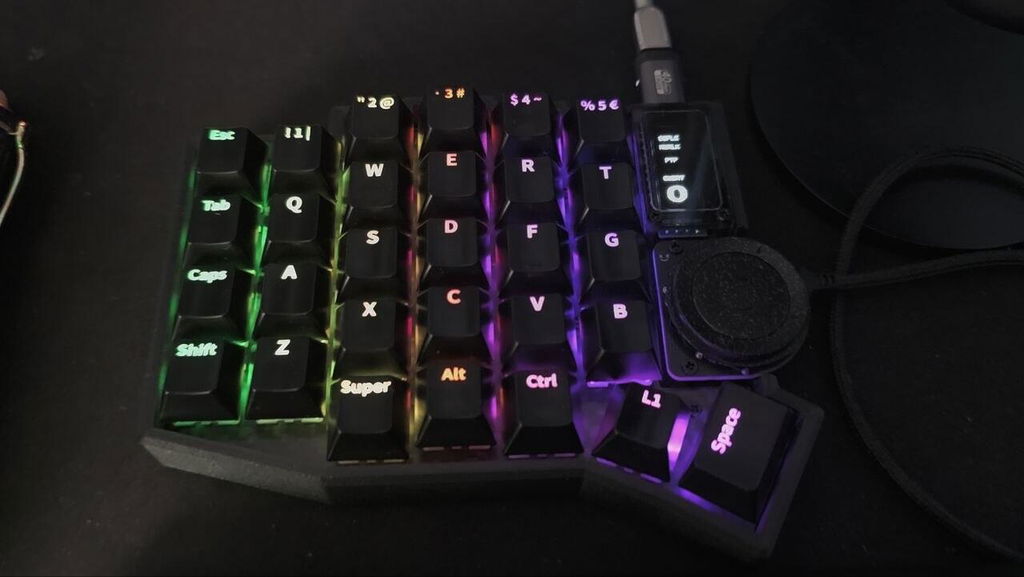
Each layer lights the keys it uses, in its own colour. The OLED shows where you are.


Snaps to MagSafe.
The polished steel bottom holds onto any MagSafe stand. Tilt it a little or stand it upright, and take it off in one pull.
- Steel bottomPolished steel plate, magnetic all over
- Any angleWorks with MagSafe phone and tablet stands
- No adapterNo ring or sticker to add
MagSafe stands are not included. Needs the polished steel bottom: included in Standard and Signature, or pick it in the builder. The frosted acrylic bottom (Starter) is not magnetic.
Set it up in your browser.
Our enhanced Vial makes changes live. Remap keys, name your OLED, paint RGB layers and tune the trackpad. No compiling.
New in our web Vial
Opens the browser version of Vial in demo mode. Best in Chrome or Edge. Changes stay in your browser and reset when you reload.
Everything from standard Vial is here too: remap any key, macros, combos, tap dance, key overrides and QMK settings.
What's in the box?
Every model ships with the OLED, spinning disc, large trackpad, both cables and a repair kit. Switches and keycaps are chosen separately.
Signature
- SoflePLUS2
- Carbon fibre switch plate
- CF PETG 3D-printed case
- Steel bottom with clear acrylic
- Poron foam & IXPE pad
- 1 × OLED with display cover
- 1 × Spinning disc
- 1 × Large trackpad, glass overlay
- 1 × Type-C cable
- 1 × USB-A to C cable
- 1 × Repair kit
Standard
- SoflePLUS2
- FR4 switch plate
- CF PETG 3D-printed case
- Steel bottom with clear acrylic
- —
- 1 × OLED with display cover
- 1 × Spinning disc
- 1 × Large trackpad, glass overlay
- 1 × Type-C cable
- 1 × USB-A to C cable
- 1 × Repair kit
Starter
- SoflePLUS2
- FR4 switch plate
- —
- Frosted transparent acrylic bottom
- —
- 1 × OLED with display cover
- 1 × Spinning disc
- 1 × Large trackpad, glass overlay
- 1 × Type-C cable
- 1 × USB-A to C cable
- 1 × Repair kit
Frost White
- SoflePLUS2 (white)
- FR4 switch plate (white)
- GF PETG 3D-printed case
- Steel bottom with clear acrylic
- Poron foam & IXPE pad
- 1 × OLED with display cover
- 1 × Spinning disc
- 1 × Large trackpad, PP overlay
- 1 × Type-C cable
- 1 × USB-A to C cable
- 1 × Repair kit
Build Kit
- SoflePLUS2 PCBs only
- —
- —
- —
- —
- 1 × OLED with display cover
- 1 × Spinning disc
- 1 × Large trackpad, glass overlay
- 1 × Type-C cable
- 1 × USB-A to C cable
- 1 × Repair kit
Reviews · verified by Judge.me
From people who type all day.
Write a review
SoflePLUS2 · posted through Judge.me
amazing quality, service, shipping, etc, etc! <3
C'est parfait! Un grand merci.
My hands started feeling pain because of all the typing I do so I looked into it and decided split keyboards would be worth looking into. It wasn't a magical solution that got rid of my pain immediately but over time my pain did go away.
There are perhaps cheaper choices but the quality and customer service is worth the price. Being my first split keyboard, I had a few questions even after reading up on stuff on the internet and the people (person?) behind this store was friendly and prompt in answering my questions. The keyboards haven't shown any sign of degradation either so far. The wheel thingy is still turning smoothly too. If you're buying your first split keyboard, definitely consider this store!
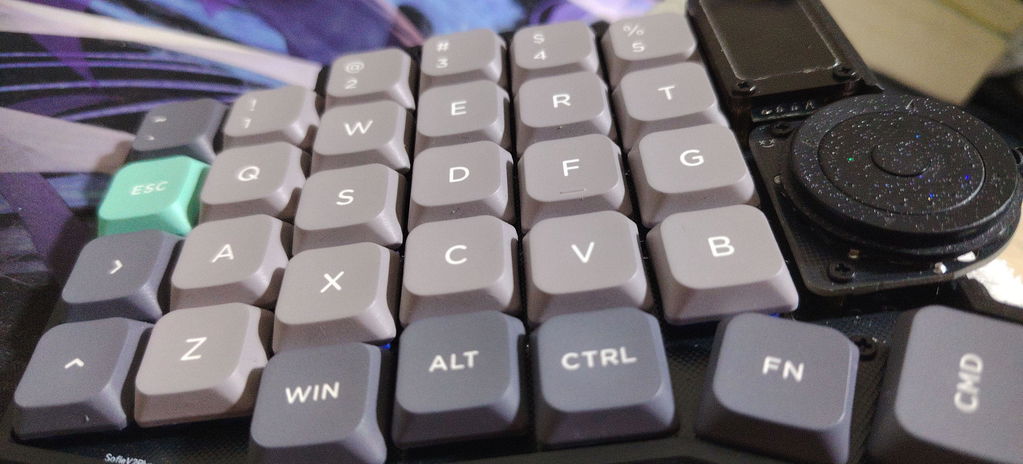
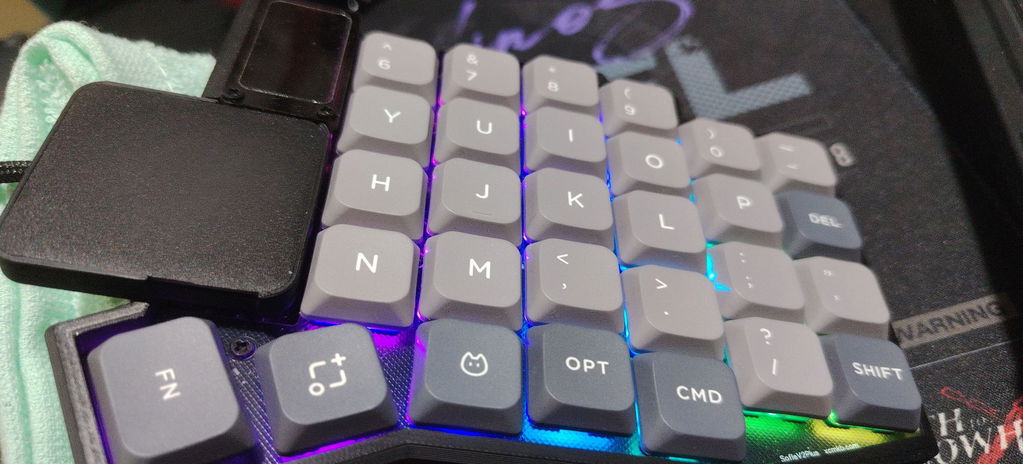
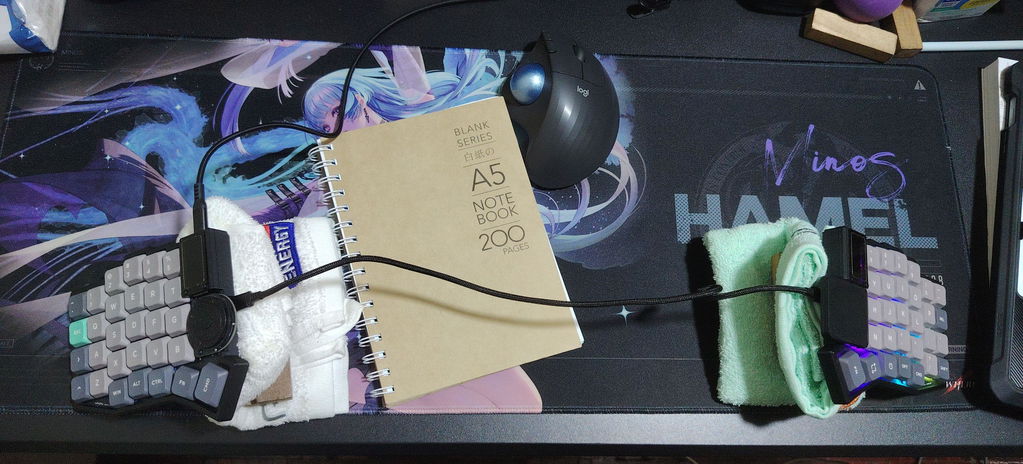
Great product and customer service.
After more than 20 years using all kinds of keyboards, I had never owned anything like the XCMKB SoflePLUS2 Signature.
I am writing this review on it right now, late at night, while my wife is sleeping beside me. One of my main goals was to work, program and play at night without disturbing her, and this keyboard has exceeded my expectations.
MY CONFIGURATION
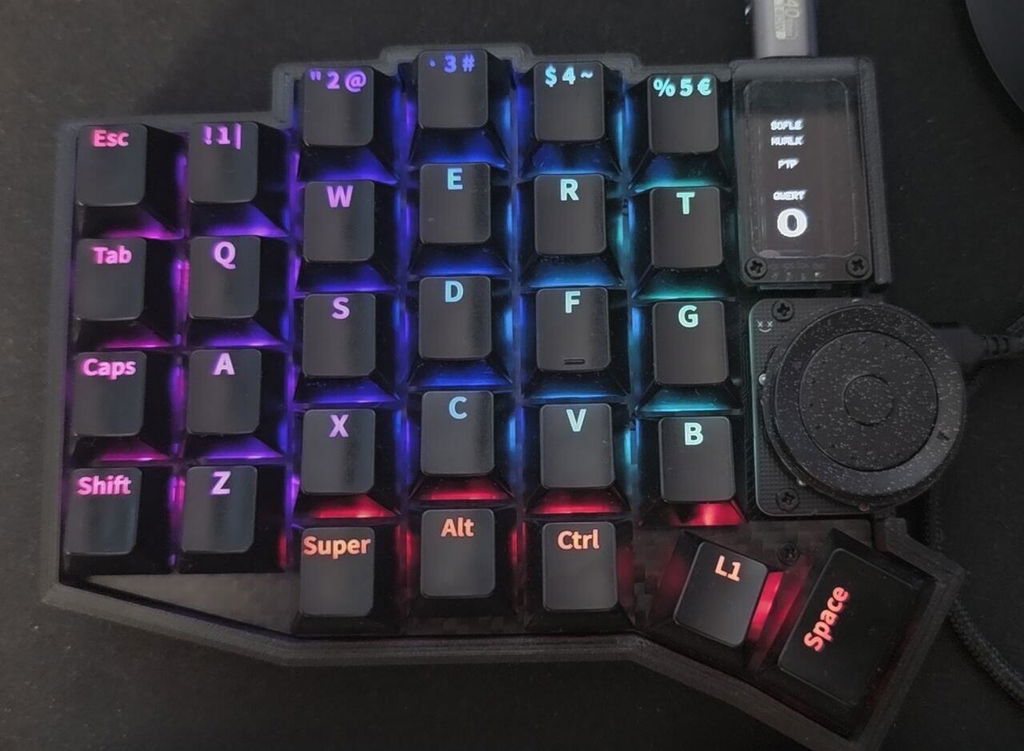
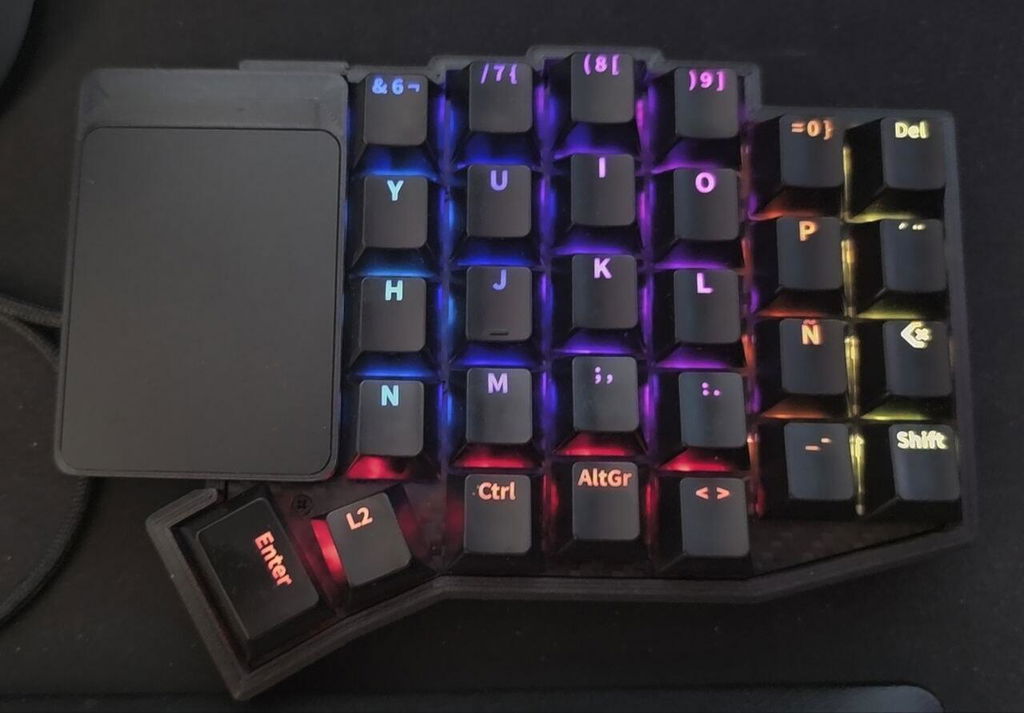
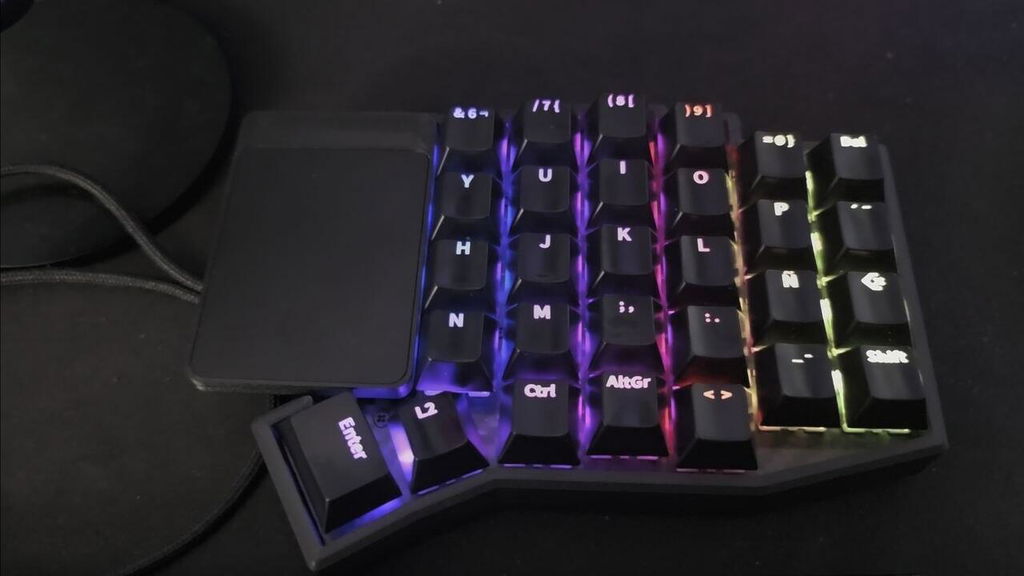
I chose the SoflePLUS2 Signature with a carbon-fiber switch plate, CF-PETG case, PORON, IXPE pads, MX hot-swap sockets, Gateron Zero Degree Fully Silent 45g switches, a large integrated glass trackpad, OLED, spinning disc, per-key RGB, and black FK Custom Cherry-profile shine-through keycaps customized in Spanish.
The carbon-fiber plate feels firm and precise, while PORON and IXPE help control vibration, resonance and sound. Together they achieve exactly what I wanted: an extremely quiet keyboard without making the keys feel soft or vague.
The Gateron Zero Degree Fully Silent 45g switches are smooth, stable, factory-lubricated linears with damping for both bottom-out and return. The result is remarkably quiet while still feeling mechanical and precise.
XCMKB REALLY LETS YOU BUILD YOUR KEYBOARD
[[****]](mailto:[****])
You can choose switches, plate, keycaps, MX or low-profile format, trackpad and other parts. I wanted very specific switches, and XCMKB sourced the exact compatible model from the official supplier and installed them for me. If what you want is not listed, I recommend contacting them directly.
CUSTOM KEYCAPS
XCMKB works with FK Custom and provides a Sofle template where you can design your own legends almost key by key:
https://fkcaps.com/custom/9XJBQU
I created black Cherry-profile shine-through keycaps with a Spanish layout, Ñ and legends adapted to my layers. My FK Custom code is TALXXZ if anyone wants it as a reference.
VIAL CHANGES EVERYTHING
Vial is one of the biggest reasons the SoflePLUS2 is so powerful and personal:
https://get.vial.today/download/
This SoflePLUS2 supports up to 10 layers, so the same physical key can perform different functions depending on the active layer: typing, programming, navigation, multimedia, applications, gaming and more.
A single key can send combinations such as Ctrl+C, Ctrl+V, Alt+F4 or Super+E. You can create macros, Combos where several keys trigger another action, and Tap Dance functions where one key behaves differently when tapped, held, double-tapped, or tapped and held. The firmware provides up to 32 macros, 32 Combos and 32 Tap Dances, plus modifiers, mouse functions, layer switching and many other QMK actions.
RGB can also be functional: individual keys can identify layers and functions visually.
SPINNING DISC AND TRACKPAD
The spinning disc has seven independent inputs. I use rotation to raise and lower my PC volume, the four directions as the Up, Down, Left and Right arrow keys, and the center button as a left mouse click.
Everything can be reassigned for scrolling, browser tabs, desktops, zoom, media, undo/redo, code navigation, brightness, RGB or IDE shortcuts, with different functions on different layers.
The large integrated trackpad lets me move the cursor, scroll and use gestures without constantly reaching for a mouse.
ERGONOMICS
Traditional staggered keyboard rows are a legacy of mechanical typewriters. A split keyboard starts from a different idea: your hands can remain separated and each half can be placed where your arms naturally fall.
The Sofle uses column stagger, following the fingers more naturally than traditional horizontal rows. For someone like me who spends many hours at a computer, the difference is very noticeable: my hands stay separated, my wrists straighter, my shoulders more comfortable, and my fingers make fewer unnecessary movements.
FAST RESPONSE FOR WORK AND GAMING
I type very quickly and have deliberately tried very fast key sequences. I have also used it for gaming. I have not noticed lag or missed keypresses; the response feels immediate. I would recommend it 100% for work, writing, programming, productivity and demanding competitive gaming.
THANK YOU, XCMKB
After more than 20 years trying keyboards, I have never owned one combining this level of materials, ergonomics, silence, responsiveness, customization and typing feel.
I am finishing this review while my wife is still sleeping without being disturbed by my keyboard. That is exactly what I wanted: to be able to work and play without disturbing her.
I also want to thank Jin and the entire XCMKB team. They were patient with my questions, listened carefully to what I wanted, tested options, helped me obtain the components I had chosen and built a keyboard that exceeded my expectations.
XCMKB has definitely become my favorite keyboard manufacturer. I sincerely hope this will not be the last keyboard I buy from them.
I recommend the SoflePLUS2 Signature 100%. Five stars without any doubt.
Yosvel
Specifications
- Layout
- 58 keys, column-staggered split
- Controller
- RP2040, 16 MB flash, socketed
- Pointing
- Azoteq TPS65 trackpad, matte glass overlay
- Connection
- USB-C to host · USB-C between halves
- Controls
- Spinning disc (7 inputs) · 0.91" OLED
- Switches
- Hot-swap: Choc v1/v2 or MX (3/5 pin)
- Lighting
- Per-key RGB, 44 effects, per-layer colors
- Software
- QMK + enhanced Vial (web)